
Custom CRM Development
A CRM Shaped Like Your Business, Not Like Everyone Else’s
Off-the-shelf CRMs model a generic sales funnel. Insurance cases pass through underwriting, venues sell dates rather than seats, brokerages juggle six lead sources at once. We build CRMs whose stages, fields and permissions match how your work actually moves — so the team uses the system instead of a spreadsheet beside it.
What we build into a custom CRM
The pieces below recur across the CRMs in our portfolio; each one is scoped to the business it serves.
Pipelines that mirror your real stages
Stages and sub-stages named for your process — Illustration Requested, Underwriting, Showing, Site Tour — so a deal’s position means something to the people working it.
Lead-source attribution
Every lead carries the channel that produced it — website, referral, marketplace, motor club, walk-in — so you can see which channels are worth paying for.
Role-based access
Reps, managers, owners and agents each see and do only what their role needs, including invite-only access for sensitive pipelines.
Lead capture wired straight in
Website forms, shareable capture links, chatbots and manual entry all land as records in the pipeline — nothing lives in an inbox.
Calendars, bookings and tasks
Where the business sells time — venues, tours, showings — bookings and holds share a calendar so conflicts are visible before they happen.
Dashboards and funnel reports
Stage-by-stage conversion, pipeline volume and per-agent views, so coaching and forecasting run on evidence.
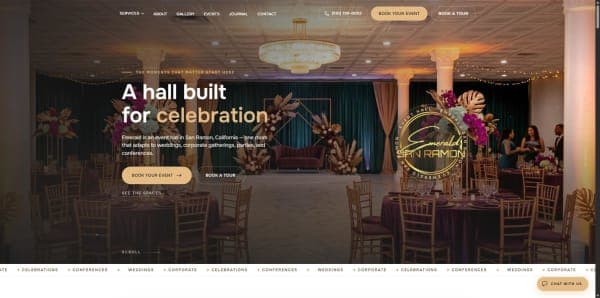
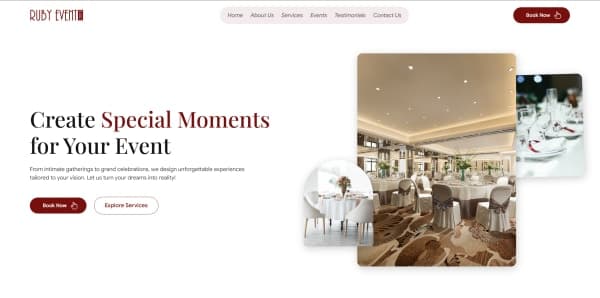
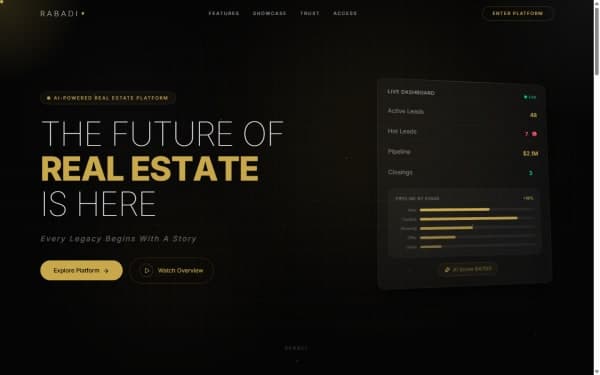
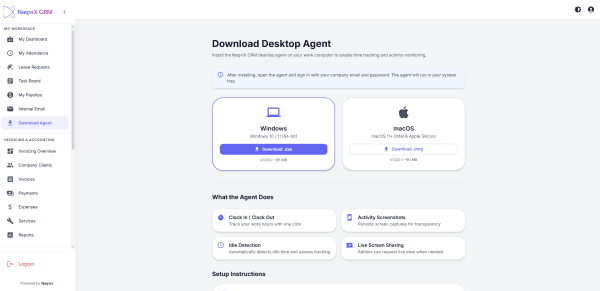
CRMs we have built
Each of these is written up in full as a case study.


How a custom CRM gets built properly
A CRM succeeds or fails on adoption. Every step below exists to make the system the easiest place for your team to do the work.
Map the real process before the screens
We walk through how a lead actually becomes revenue today — including the spreadsheet, the WhatsApp group and the sticky notes. Those workarounds show where the current tool fails.
Define stages, fields and ownership
Each stage gets an entry condition and an owner. A stage nobody can define is a stage nobody will move deals out of, so it is merged or dropped.
Design the data model around the record, not the page
Leads, contacts, deals, bookings and activities are modelled as separate entities with clear relationships, so the same customer is never typed in twice.
Wire every lead source in on day one
Forms, capture links, chat and manual entry all write to the same pipeline with the source recorded. Attribution added later has no history to report on.
Permissions and audit trail
Role-based access is enforced on the server, not just hidden in the interface, and every status change is recorded with who made it and when.
Migrate, train and iterate
Existing leads are imported and cleaned, the team is walked through their daily path, and the first weeks of real use drive the next round of changes.
What usually goes wrong with CRMs
Most failed CRM projects fail for the same handful of reasons.
The pipeline doesn’t match the business
A generic Lead → Qualified → Won funnel forces teams to track the real stages somewhere else. Stages are named for your process and validated with the people who use them.
Attribution is bolted on later
If the source isn’t captured when the lead arrives, it is gone for good. Source is a required field on every capture path from launch.
Permissions exist only in the interface
Hiding a button isn’t security — the same data is still reachable through the API. Access rules are enforced server-side on every request.
Duplicate records everywhere
Without matching on email and phone at capture, the same customer appears three times and reports inflate. Deduplication runs at the point of entry.
Nobody uses it after launch
A CRM that adds typing without removing any gets abandoned. We cut the fields each role must fill down to what that role actually needs.
CRM terms, in plain English
- Pipeline
- The ordered set of stages a deal moves through from first contact to closed. Each stage should have a clear entry rule.
- Lead-source attribution
- Recording which channel produced each lead, so revenue can be traced back to the marketing or partner that generated it.
- Role-based access control (RBAC)
- Permissions granted by role (rep, manager, owner) rather than per person, so access stays consistent as the team changes.
- Conversion funnel report
- A stage-by-stage view of how many deals enter and leave each stage, showing exactly where deals stall.
- Activity timeline
- The chronological history on a record — calls, emails, status changes, notes — so anyone picking up the lead has full context.
- Off-the-shelf vs custom CRM
- An off-the-shelf CRM is configured within a vendor’s limits and billed per seat; a custom CRM is built to your process and owned by you.
Frequently Asked Questions
Related services
The service teams behind this kind of project.
Full-Stack Development
End-to-end product builds — web, mobile, CRM and enterprise systems delivered by one team.
Explore serviceSaaS Development
Multi-tenant SaaS platforms with subscription billing, onboarding and analytics baked in.
Explore serviceAI Bots
Production-ready bots for customer support, dispatch, booking and lead qualification.
Explore serviceTell us how your deals really move
Walk us through your current process — spreadsheets included — and we’ll show you what a CRM built around it would look like.
Book a Call